Everything between the order and the payment
Zytt replaces the timesheet, the invoice template and the spreadsheet of open items. Here is what it does.
Tracking time
The way you work: as you go with the timer, or all at once at the end of the week.
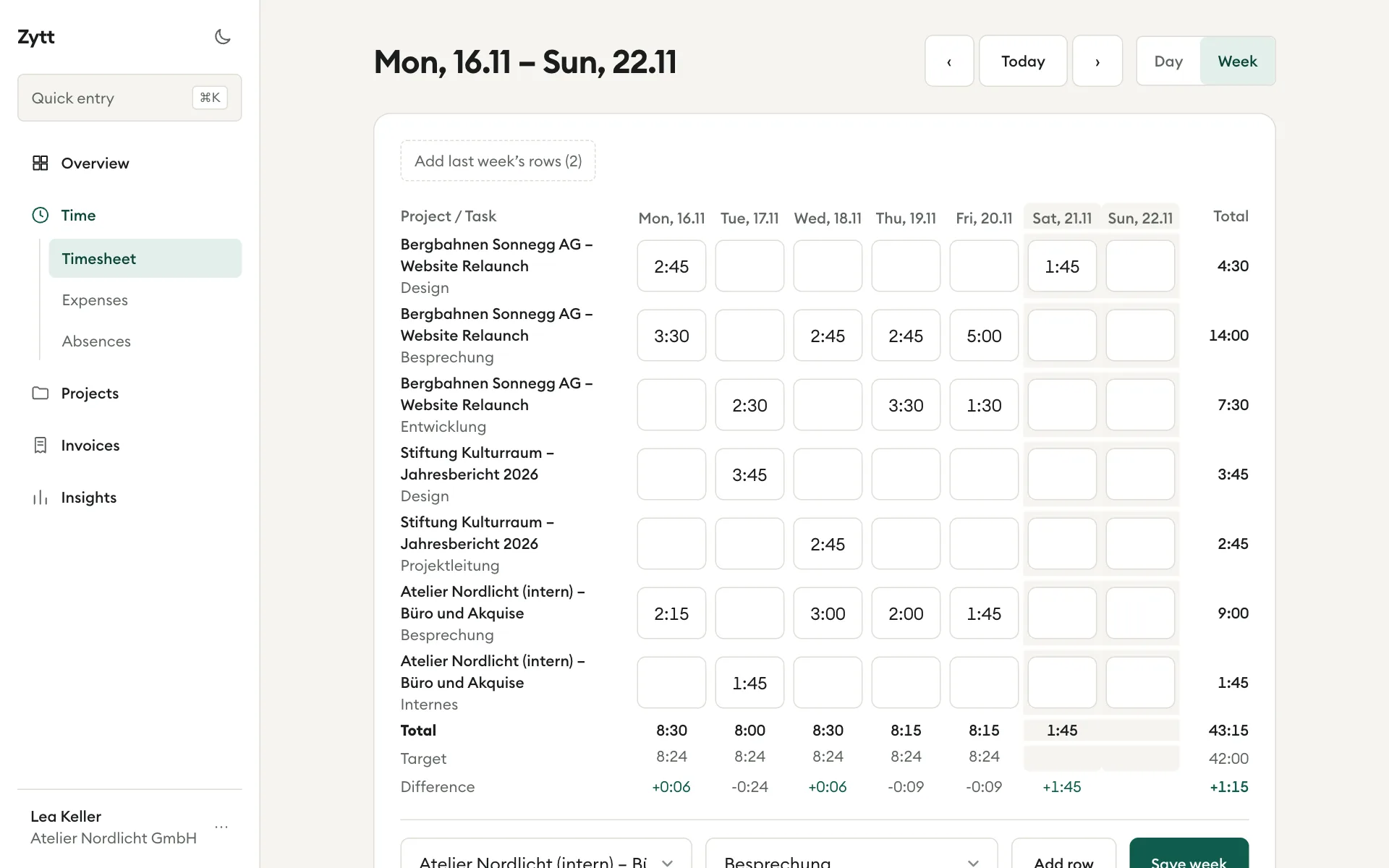
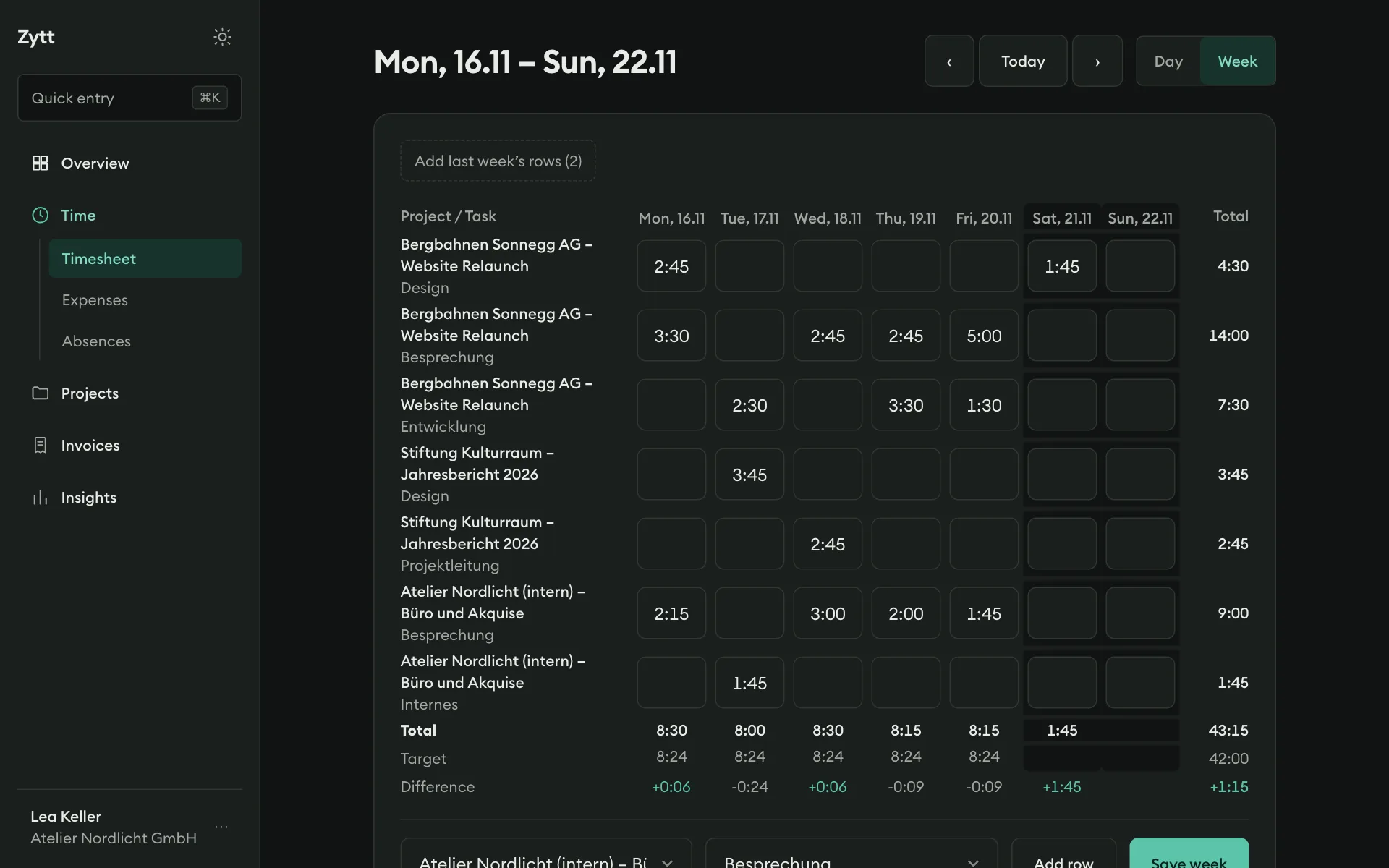
- Timer and week grid
- A timer runs along on every page. In the week grid you enter hours per project and day and take over last week's rows.
- Command bar
- Ctrl+K, “Website Design 1:30 home page”, Enter. Without a duration it starts a timer.
- Rounding by your rules
- Up, down or to the nearest, to as many minutes as you set.
- Hourly rates with a date
- Per project, task or person. A new rate applies from a day on and leaves the past as it was.
Invoicing
From the draft to the payment, with everything a Swiss invoice needs.
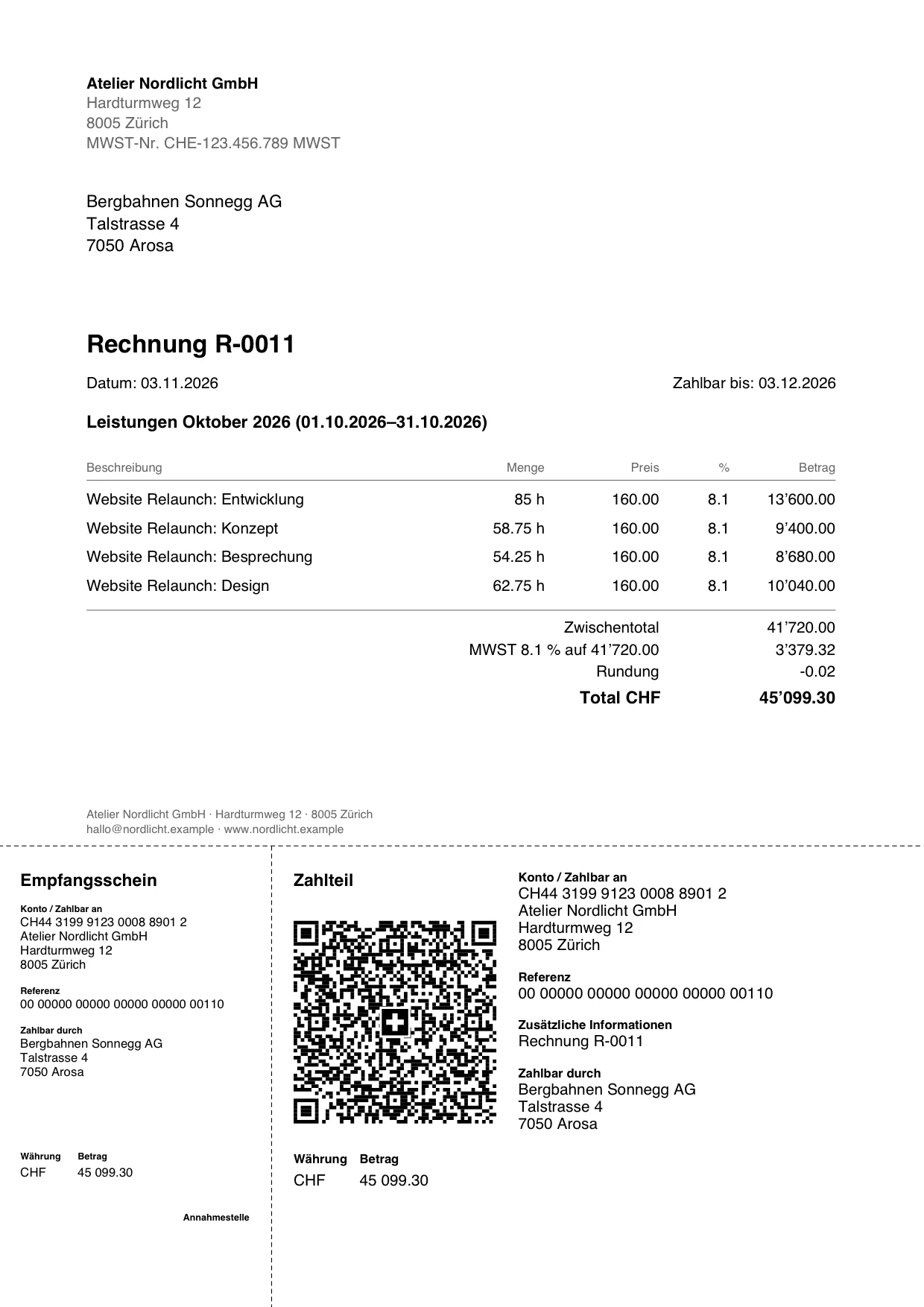
- QR-bill
- A PDF with payment part, QR reference or creditor reference, your logo and a footer. In your client's language.
- From time, expenses and fees
- Tracked hours are listed per task, per person or one by one. Invoiced time is locked, so nothing is invoiced twice.
- Payments and bank reconciliation
- Book part payments, cash discounts and credit notes. Your bank's camt file matches payments by their reference.
- Reminders and recurring invoices
- Three reminder levels, automatic if you like. Invoices due every month, quarter or year create and send themselves.
- Filed unchanged
- Every issued document is filed as a PDF with a checksum and is not changed afterwards.
Estimates and clients
See what is in the pipeline and never lose the thread with a client.
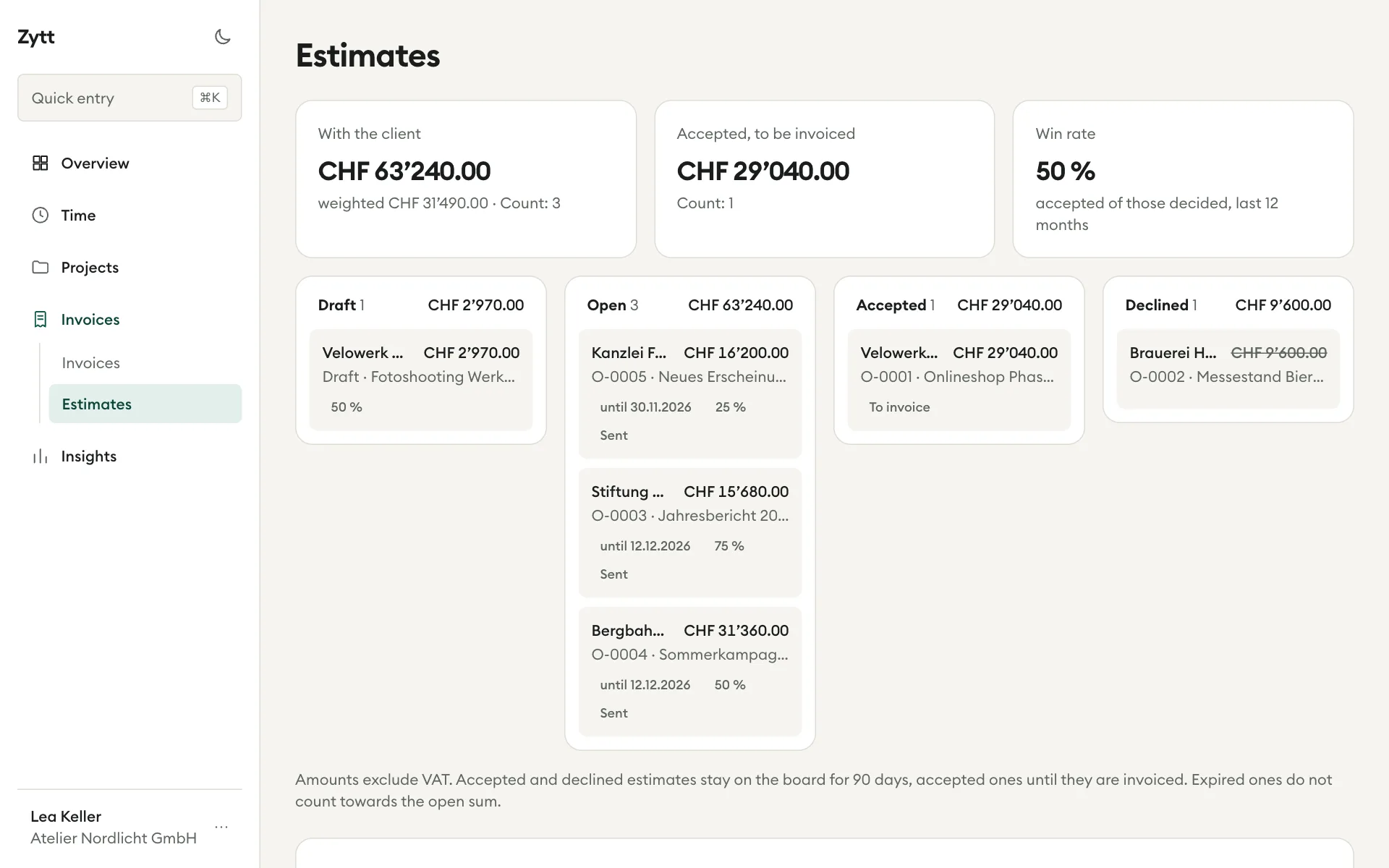
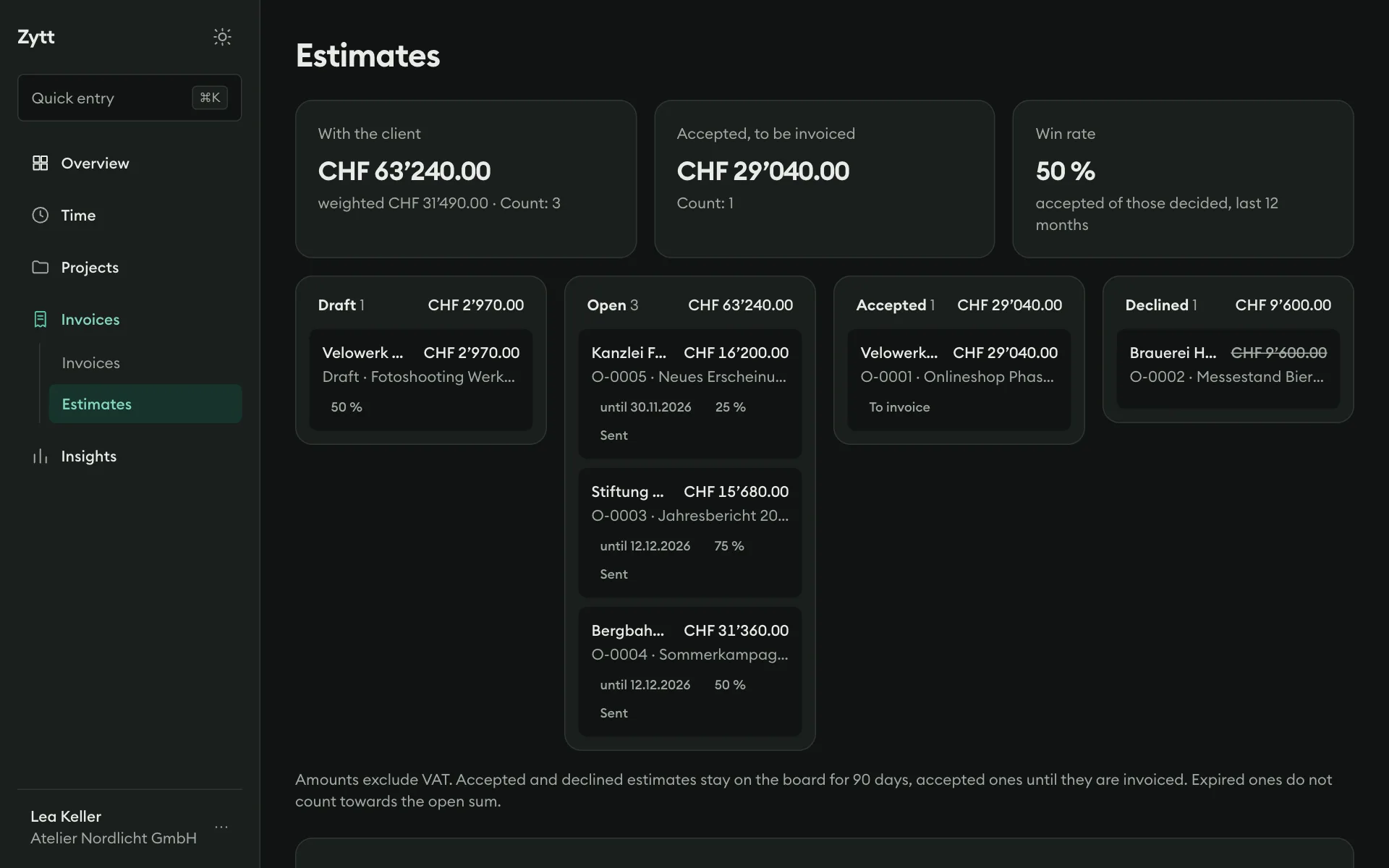
- Estimate with an acceptance link
- The client opens the estimate in the browser and accepts or declines it. You get a message and turn it into a project.
- Pipeline
- Open, accepted and declined estimates at a glance, with a weighted sum and a win rate.
- Client history and follow-ups
- A client's notes, documents and projects in order of time. Reminders bring you back when it is time to ask again.
- Client page
- One link under which your client finds their open and paid invoices as PDFs. Without an account.
Expenses and budgets
What a project costs belongs to the project.
- Receipts and mileage
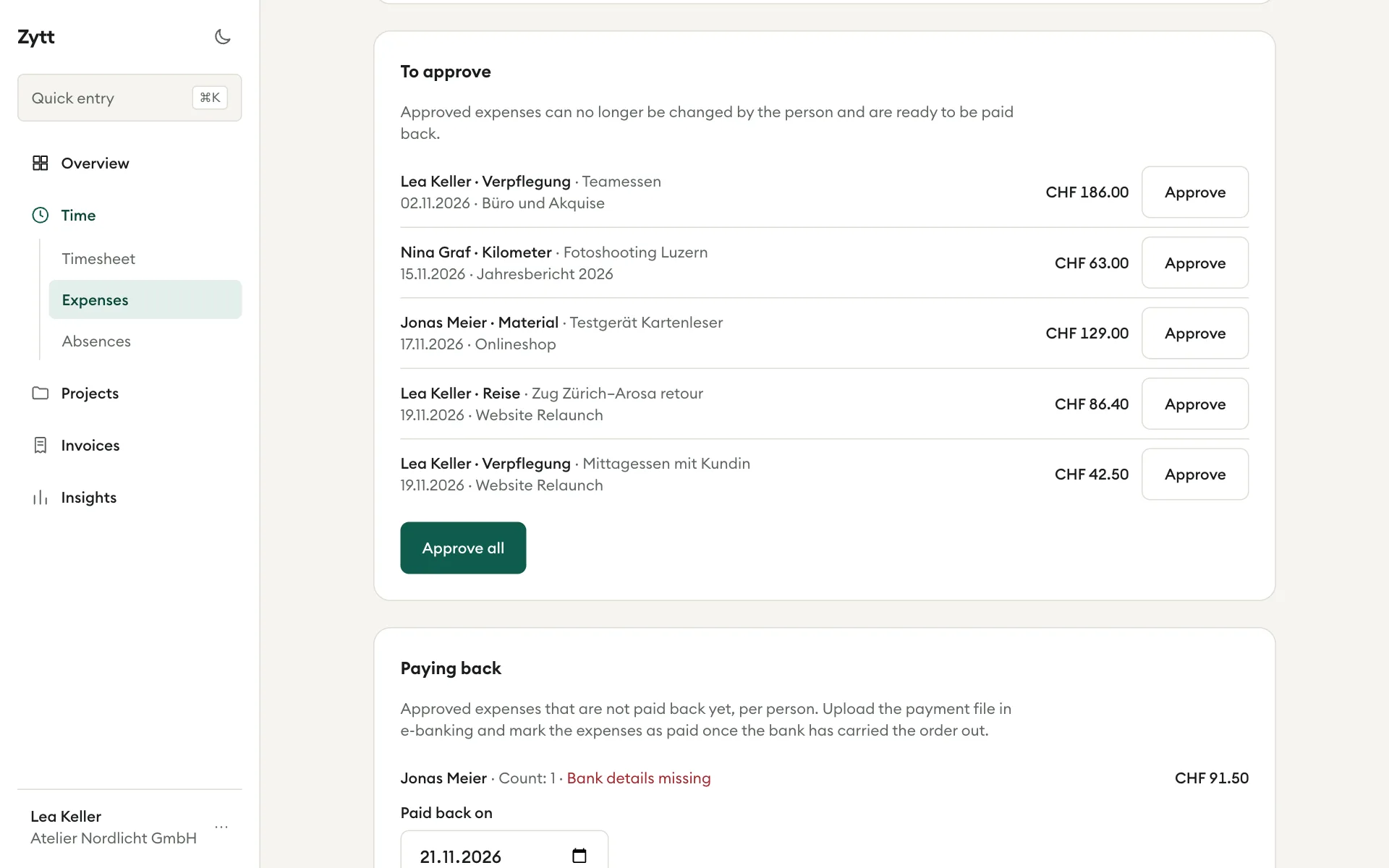
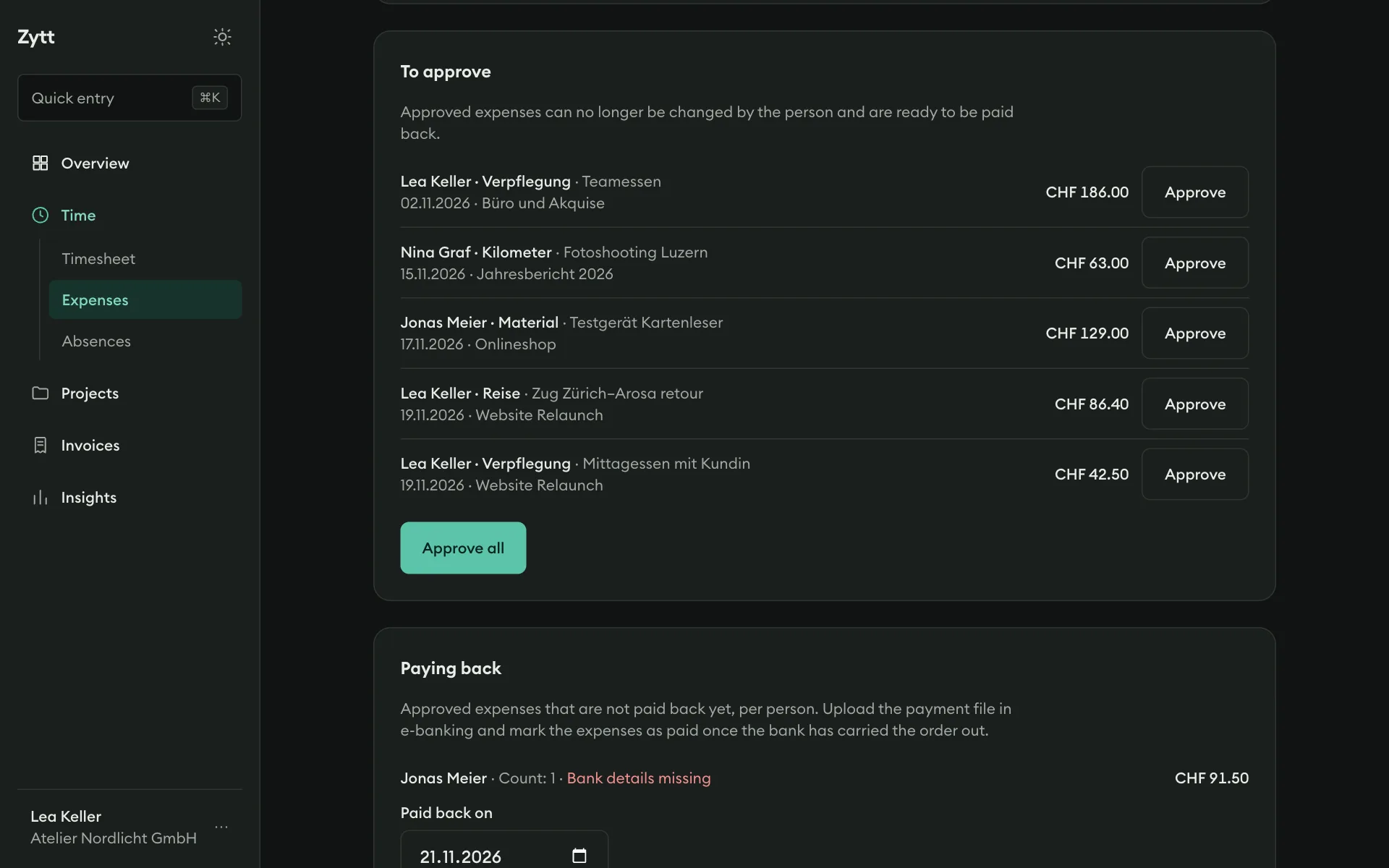
- Upload the receipt as a photo or PDF. Enter trips in kilometres; the rate is stored.
- Rebilling and paying back
- Billable expenses go onto the next invoice. Approved expenses are paid back with a payment file for your e-banking.
- Budgets with a warning
- In hours or in francs. A mail warns you when a project reaches the threshold.
- Fixed price and retainer
- The fee is invoiced; time keeps being tracked and shows whether the project pays off.
Reports and bookkeeping
Answers to the questions that come at the end of the month.
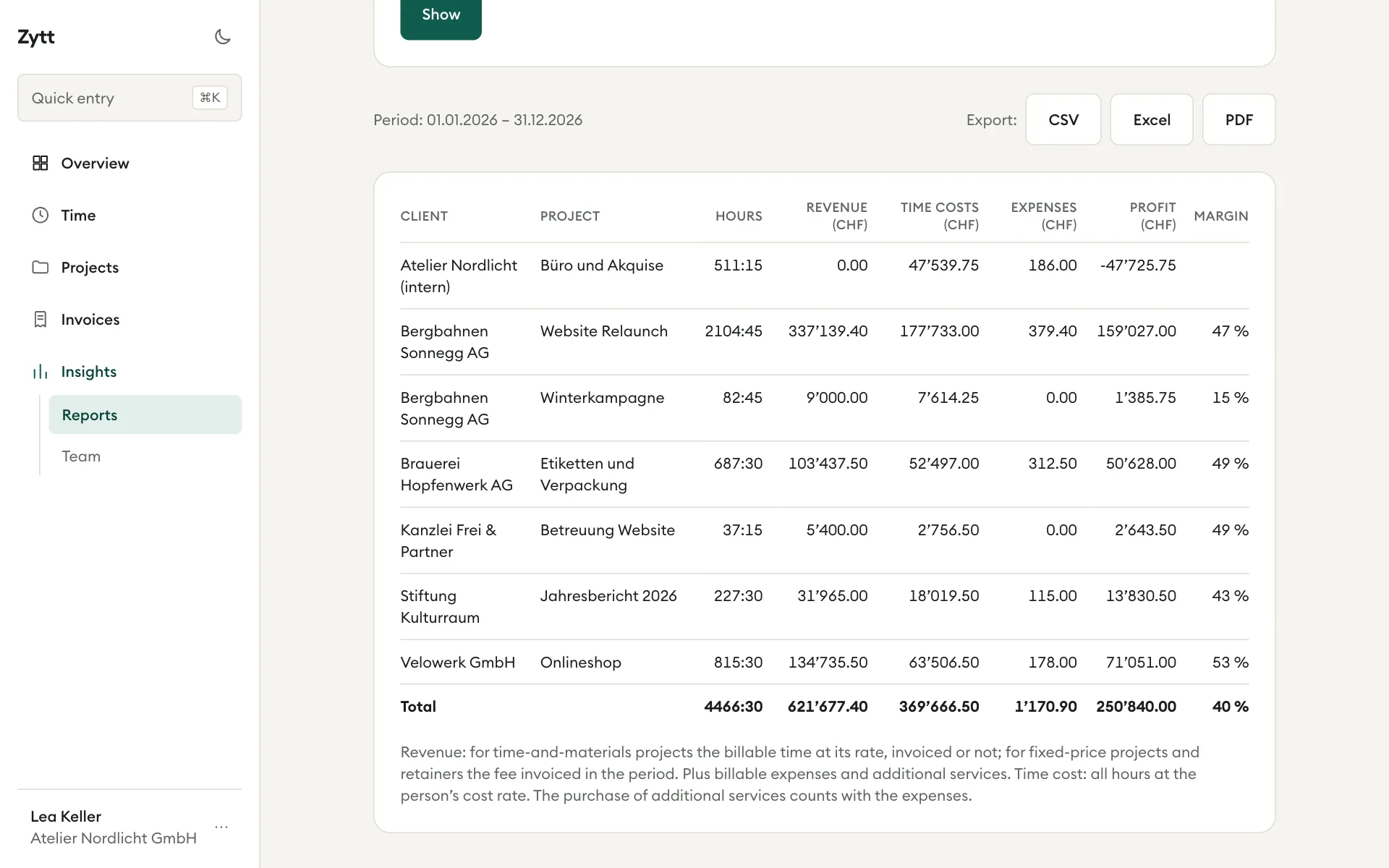
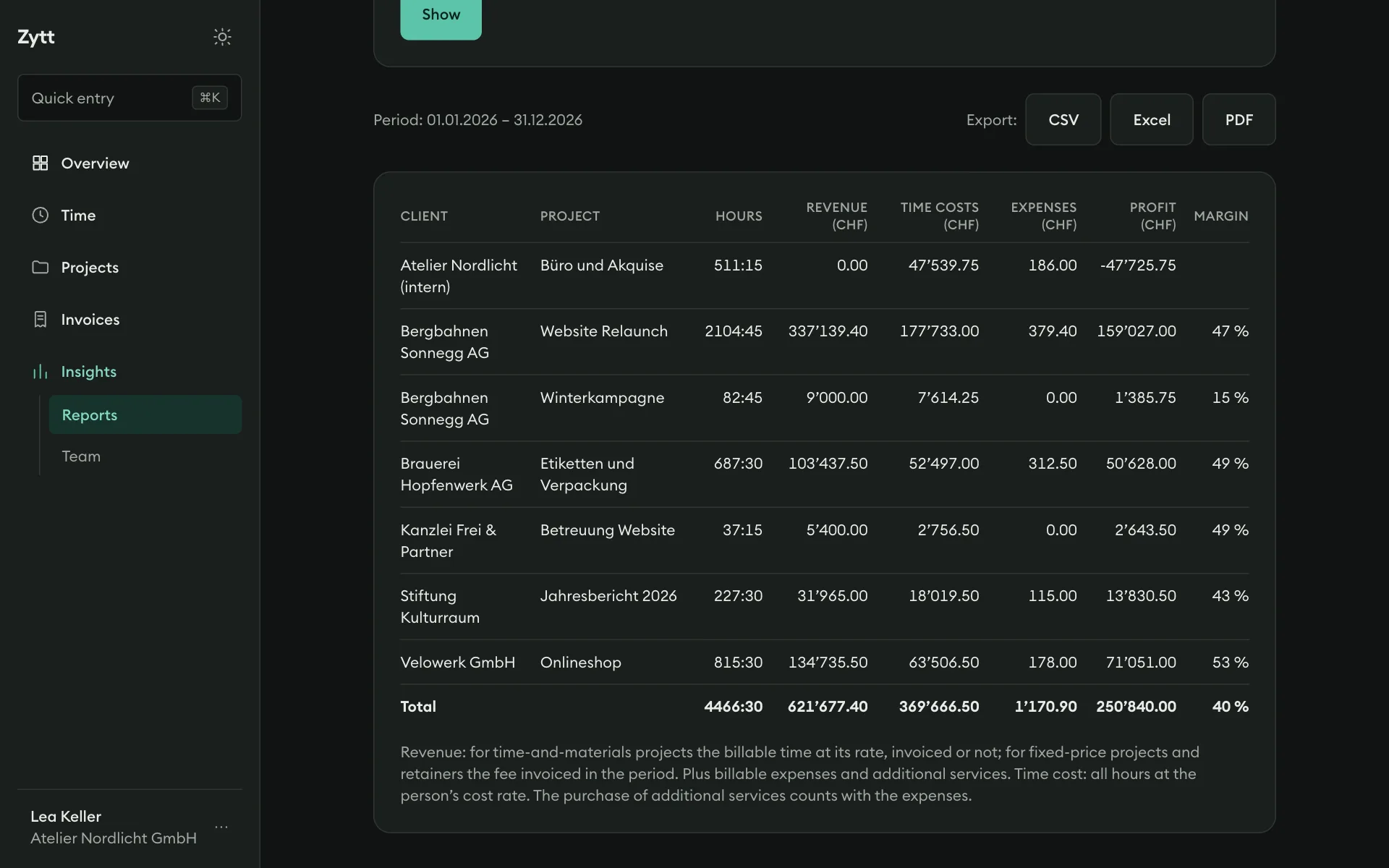
- Time, utilisation, profitability
- By client, project, task or person. As CSV, Excel or PDF.
- Uninvoiced and work in progress
- What is on no invoice yet, today or on a key date for the year-end closing.
- VAT return
- The turnover lines of the return, by agreed or received consideration, effective or with a net tax rate.
- Bookings and payroll preparation
- Invoices and payments as debit and credit for your accountant. Hours, absences and expenses per person for the salaries.
Team and working time
From an office of two to an agency with part-time work, holidays and approvals.
- Roles
- Owner, admin, manager, member. People who track time see neither invoices nor cost rates.
- Target hours and public holidays
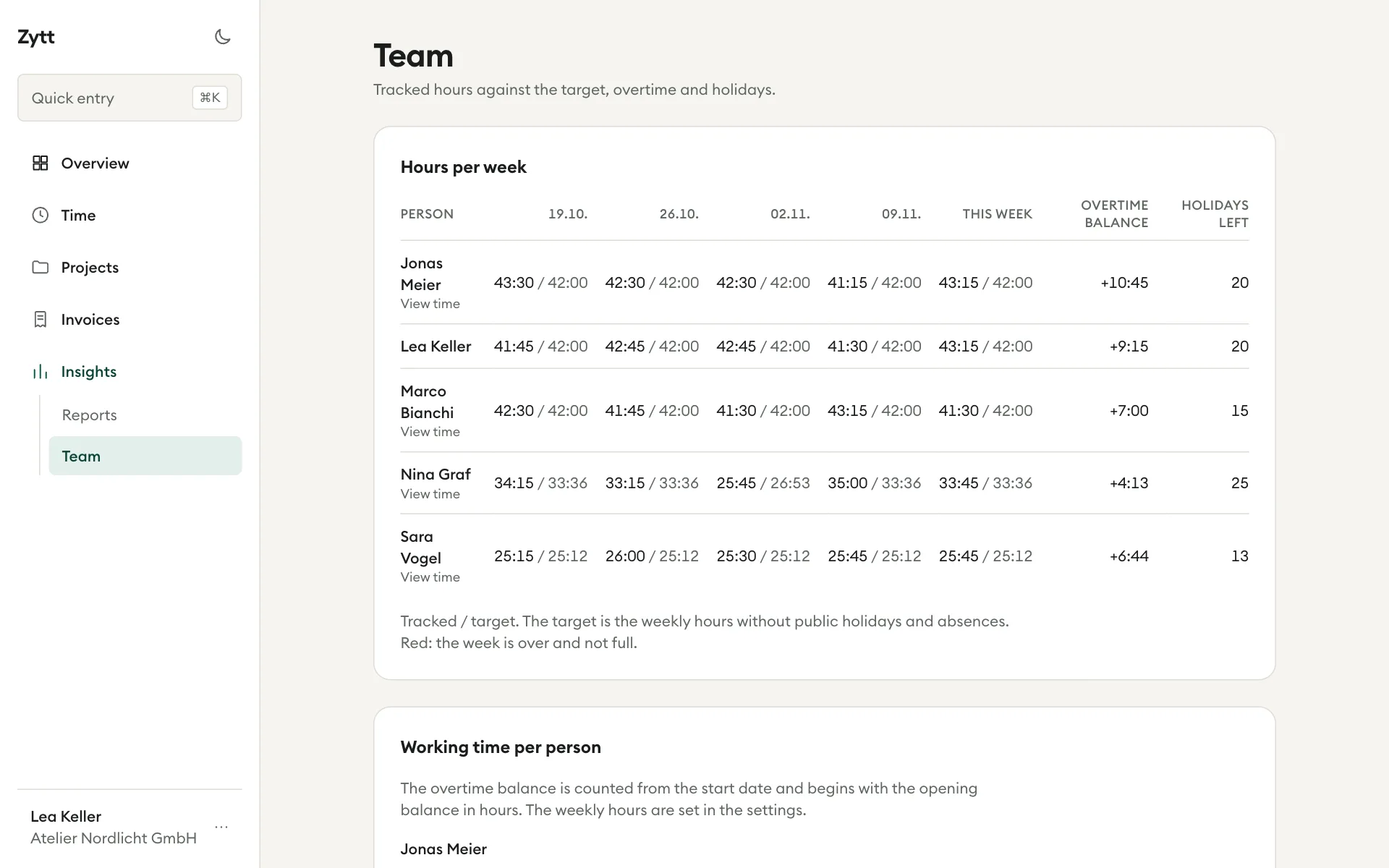
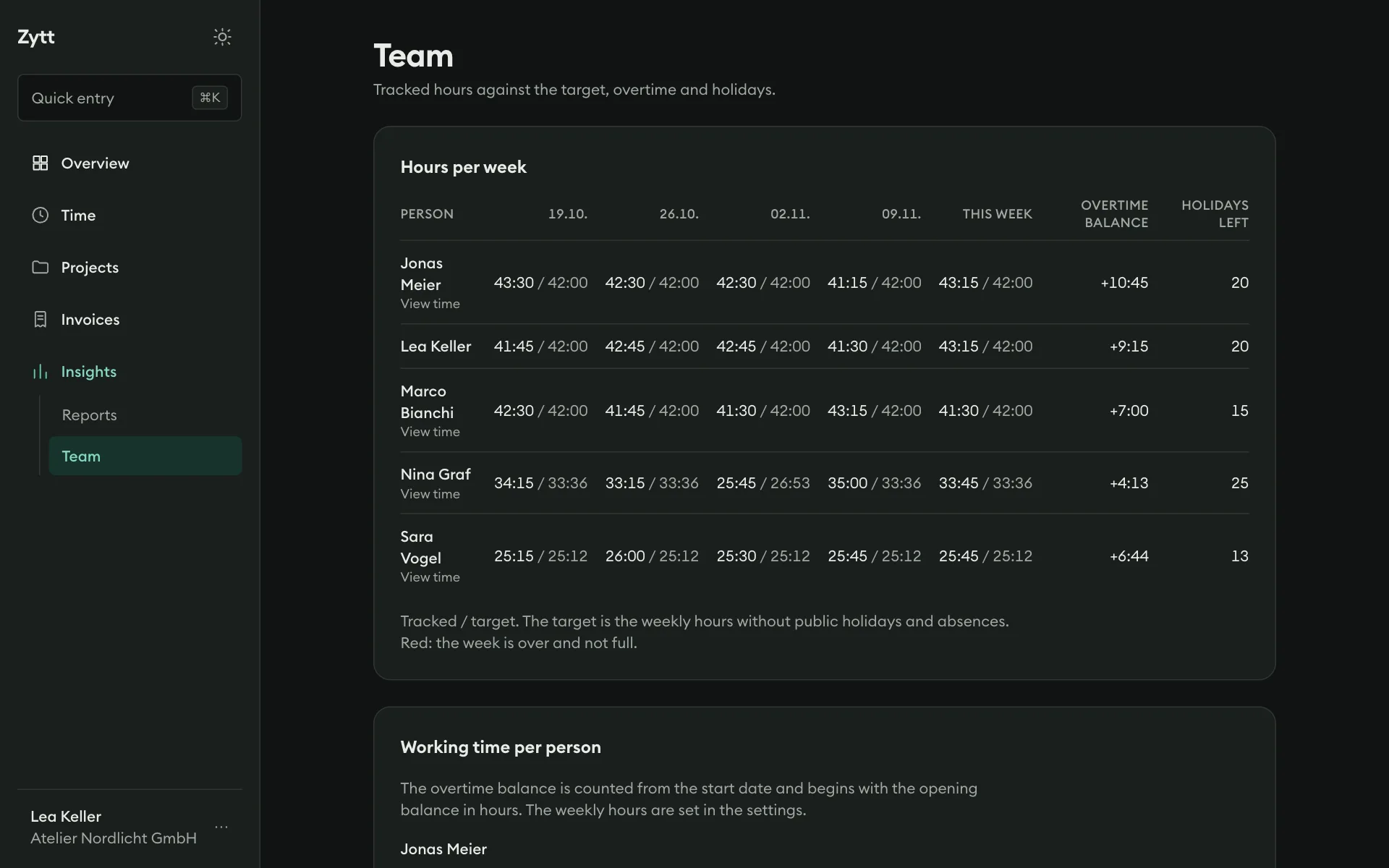
- Weekly hours per person, public holidays by canton, your own company holidays.
- Holidays and overtime
- Absences, holiday entitlement and balance. Available as a calendar subscription.
- Approve weeks and lock periods
- People hand in their week and managers approve it. Finished months can be locked.
Also
- Public API and webhooks
- Two-factor login
- Audit log
- Complete data export
- Dark mode
- Import from Harvest
Try it on your next project.
30 days with every feature. No credit card, nothing to install.